Setting up a Typescript Project using PNPM
In this article, I will walk through creating a basic typescript project using pnpm.
Setup Project
First of all, create a new folder for the project. Let’s call it ts_project.
mkdir ts_project
Next, initialize the project using pnpm.
cd ts_project
pnpm init
Then, let’s setup typescript and required dependencies.
pnpm install typescript ts-node @types/node --save-dev
pnpm exec tsc --init
After the command above, there should be a tsconfig.json in the project folder. Change the value to be like this:
{
  "compilerOptions": {
    "target": "ES2020",
    "module": "commonjs",
    "outDir": "./dist",
    "rootDir": "./src",
    "strict": true,
    "esModuleInterop": true,
    "skipLibCheck": true,
    "forceConsistentCasingInFileNames": true
  },
  "include": ["src/**/*.ts"],
  "exclude": ["node_modules"]
}
For this article, I’ll use Express to test if the project runs properly. Let’s install it.
pnpm install express
pnpm install @types/express --save-dev
Next, create a src folder and index.ts file.
mkdir src
touch src/index.ts
Then add this example code for checking our server:
import express, { Request, Response } from "express";

const app = express();
const port = process.env.PORT || 3000;

app.use(express.json());

app.get("/", (req: Request, res: Response) => {
  res.send("Hello World!");
});

app.listen(port, () => {
  console.log(`Server running on http://localhost:${port}`);
});

export default app;
After that, let’s add a start script to package.json to start the server.
{
  ... existing code
  "scripts": {
    "start": "ts-node src/index.ts",
    "test": "echo \"Error: no test specified\" && exit 1"
  },
  ... existing code
}
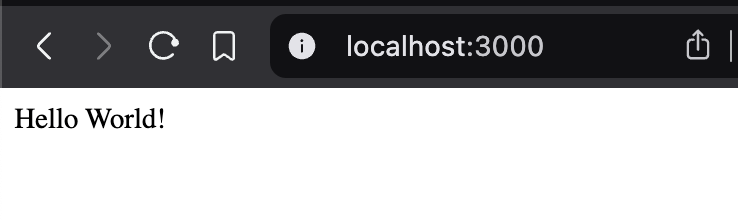
Let’s start the server and check if its running correctly at http://localhost:3000:
pnpm start
The server should response with “Hello World!” when you open the browser at http://localhost:3000.